
ArionPlay APK Download & Android Sideload Security Guide
- Android 7.0 and Android 8.0+ use different permission menus, confusing users who forget to revoke global sideload toggles.
- Malicious Telegram APK forwards often inject hidden SMS-reading permissions to steal GCash OTPs.
- Corrupted downloads on patchy mobile data fail silently with 'There was a problem parsing the package'.
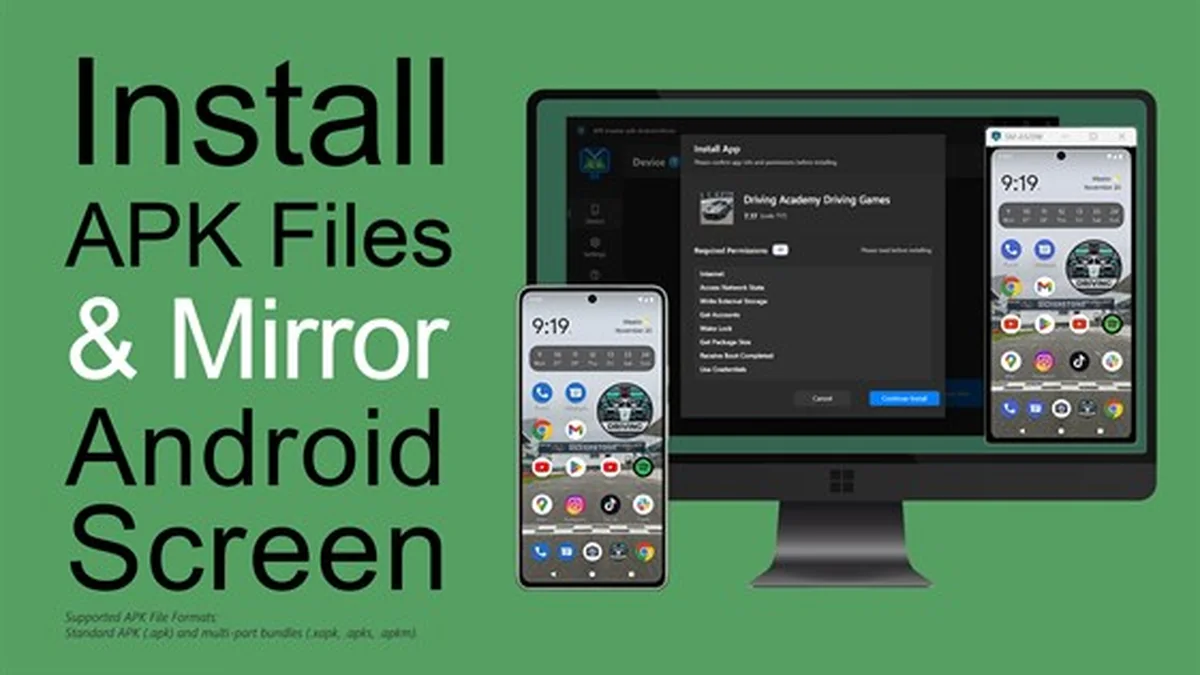
Android mobile APK installation setup screen
Every legitimate real-money casino APK in the Philippines bypasses Google Play, which puts security verification squarely on the player. One careless tap on a sponsored search clone or social media file share can install adware disguised as an ArionPlay APK installer.
We tested installation workflows across Samsung Galaxy A-series, Xiaomi Redmi, Oppo, Vivo, and Realme handsets common in the Philippines. Follow this security chain from SSL check to permission revocation so your device remains locked down.
| Check Item | Pass Standard | Red Flag Indicator | Action Required |
|---|---|---|---|
| Installer Size | 50 MB – 150 MB | < 15 MB or > 450 MB | Delete immediately before opening |
| Download URL | HTTPS Verified Official Domain | Bit.ly, MediaFire, or Telegram file | Abort and visit official portal |
| Requested Permissions | Network + Local Storage Cache | SMS, Contacts, Accessibility, Admin | Cancel install and scan device |
| Post-Install Toggle | Unknown Sources OFF | Left permanently ON for Chrome | Revoke in Settings > Apps > Chrome |
How Do Android 7.0 and Android 8.0+ Permission Flows Differ?
Android 7.0 exposes one global 'Unknown Sources' switch inside Settings > Security, affecting every app at once. Android 8.0 and newer isolate sideloading per app under 'Install Unknown Apps', allowing granular revocation solely for Chrome.
If your handset still runs Android 7.0 Nougat, toggling Unknown Sources temporarily opens the door for any browser pop-up until you manually turn it back off. Android 8.0+ limits that trust exclusively to the browser you authorize.
Check Android app installation security standards if your OEM skin—such as Xiaomi HyperOS, Oppo ColorOS, or Vivo Funtouch—adds an extra 10-second security countdown prompt before confirming.
Why Does Chrome Display 'File Might Be Harmful' on Clean APKs?
Chrome shows an automated warning on every .apk package downloaded outside Play Store billing channels. The notice reflects distribution source rather than scanning results, so players must verify file origin and byte size themselves.
Many guides tell users to ignore warnings blindly, which is poor security advice. Instead, treat the Chrome prompt as a checkpoint: verify the exact domain in your download history and confirm the APK weighs between 50 MB and 150 MB.
What Permissions Should an Android Casino APK Never Request?
A gaming client requires internet connectivity and standard app cache storage only. Reject any installer requesting Read SMS, Contacts, Call Logs, Microphone, or Accessibility Service control, as those permissions enable banking OTP interception.
Some cloned APKs ask for Accessibility access claiming it speeds up 'auto-login'. Once granted, Accessibility services can read screen text inside GCash, Maya, and banking apps.
Inspect the installer summary card carefully before tapping Update or Install. Cancel immediately if invasive permissions appear.
Step-by-Step Secure Android APK Installation
Use these seven sequential actions to install and harden your Android handset.
- 01Verify you have at least 1.5 GB free storage and switch to stable 4G LTE or home Wi-Fi.
- 02Download the APK solely from the verified portal and confirm the file size shows 50 MB to 150 MB.
- 03Tap the completed .apk notification and choose Settings when prompted for Chrome install permission.
- 04Enable 'Allow from this source' (Android 8.0+) or 'Unknown Sources' (Android 7.0), then tap Back.
- 05Review the requested permissions card and tap Install once confirmed clean.
- 06Launch the app once to confirm the lobby loads within 3 to 6 seconds, then press Home.
- 07Return to Settings > Apps > Special App Access > Install Unknown Apps > Chrome and toggle OFF immediately.
How Do You Fix 'App Not Installed' or Parse Errors?
Parse errors occur when an APK download drops mid-transfer or targets a newer Android API than your phone supports. Delete the partial file, clear Chrome download cache, uninstall any old build, and re-download over stable Wi-Fi.
On budget 32 GB phones, low available disk space under 500 MB also blocks Android's package installer from extracting game textures. Offloading old messaging videos usually resolves the block instantly.
Should You Enable Biometric App Lock After Installing?
Yes. Enabling Android fingerprint or PIN screen lock protects your active casino session and linked e-wallet history if your phone is misplaced in transit.
Combining handset biometrics with manual cashier sign-out ensures nobody holding your unlocked phone can trigger unauthorized transfers. Review login hardening tips inside Arionplay Login.
Responsible Gaming Framework for Adults Aged 21 Years Old+
Every legitimate Philippine wagering service enforces a 21 years old minimum age rule alongside mandatory identity verification prior to withdrawals.
Smart bankroll planning means deciding your maximum loss threshold before spinning a reel or joining a live table. Whenever you request a higher deposit allowance, a 24-hour waiting window applies automatically.
Players requesting self-exclusion receive protection within 24 hours across all access points including mobile app clients and browser gateways. Support organizations include the National Council on Problem Gambling Philippines, Gamblers Anonymous Philippines, and the PAGCOR Responsible Gaming Helpline. Explore support steps inside our Philippine Responsible Gaming Guide.
Final Cautious Assessment & Next Steps
Every game category and payment gateway carries specific trade-offs between speed, variance, and verification friction. Use the benchmark tables above to match your handset bandwidth, wallet limit, and bonus horizon before placing real-money stakes. If you decide to open an account, invite your friends to register and play and get a chance to earn bonuses of up to ₱50,000.00 through the official referral channel. Completed activity tiers further let you get a chance to win up to ₱100,000.00 plus unlock exclusive Mystery Chests.
Frequently Asked Questions
Is the ArionPlay APK safe for Xiaomi, Oppo, and Samsung phones?
Yes, provided the package comes from the verified HTTPS portal, measures 50–150 MB, and requests no SMS or Accessibility permissions. Always disable Unknown Sources once setup completes.
Why did Android say 'There was a problem parsing the package'?
This happens when mobile data drops mid-download, corrupting the APK archive, or when your device runs an Android version below 7.0. Delete the file and download again on Wi-Fi.
Can an APK update overwrite my account balance?
No. Your PHP funds and KYC records are stored server-side. Uninstalling an older build and installing the latest signed APK never erases your balance.
How much RAM does the Android app need to run live baccarat?
Phones with 3 GB RAM handle 2D slots comfortably, while 4 GB RAM or higher prevents background reloads during HD live dealer streams.
Where can I get help if my Android APK fails to launch?
Switch temporarily to Chrome mobile browser so you stay connected, then reach live support using the verified guide on /mobile-apps/customer-service/.